TRANSMISSION LOG
How Antenna works
Nine steps, each shown on the real product. Start with a channel; everything else builds on it.
Watch it run
The whole log, on screen
Just over a minute of the real product: AI drafting, languages, bots, direct messages and specialists.
01 · Connect
Connect your channel once
Sign in, add the Antenna bot to your channel as an admin with Post Messages. Antenna checks the bot can post, and checks again before every send, so a lost permission is caught before a post fails.

02 · Dashboard
See everything at a glance
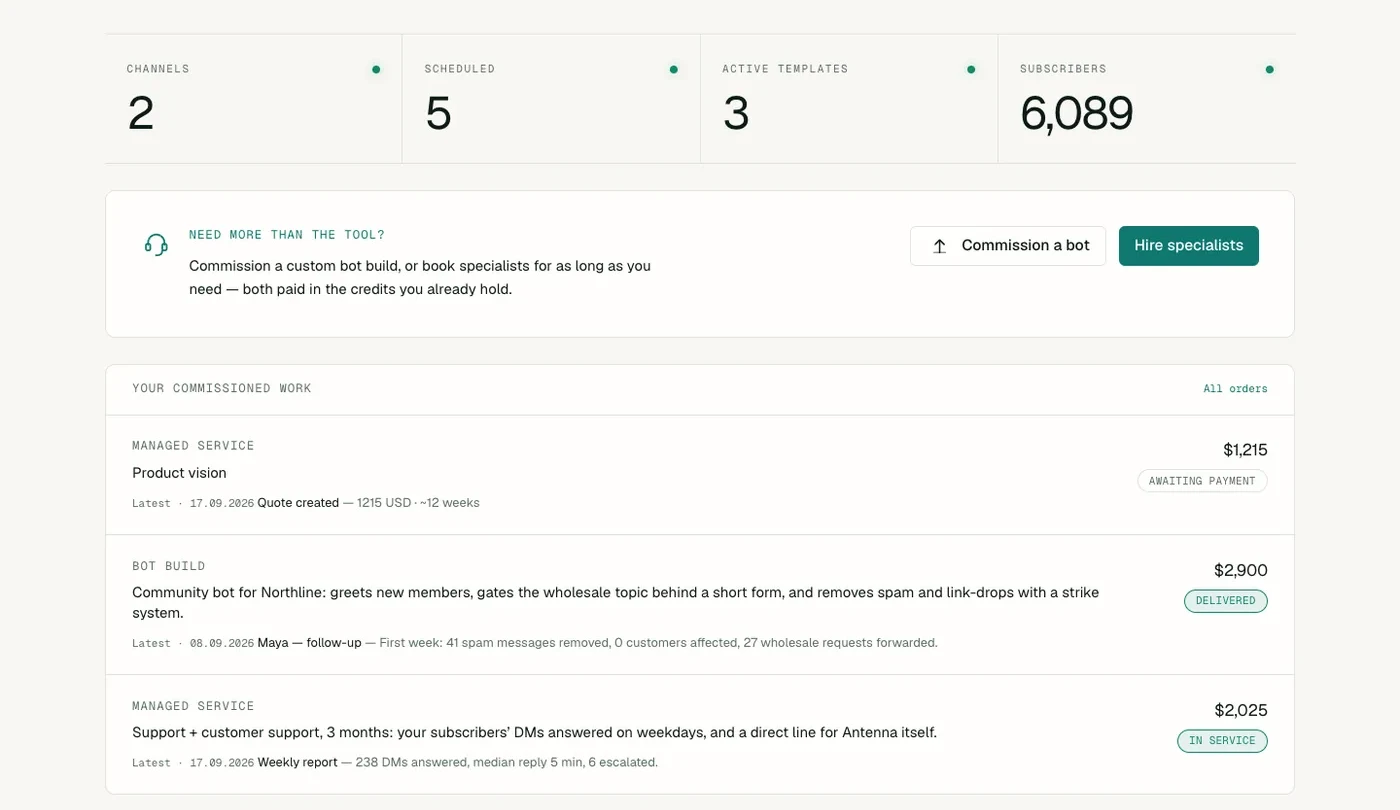
Your channels, scheduled posts, running bots and subscribers sit on one page, with growth over the last month, what was delivered, and the work you have commissioned.
03 · Write with AI
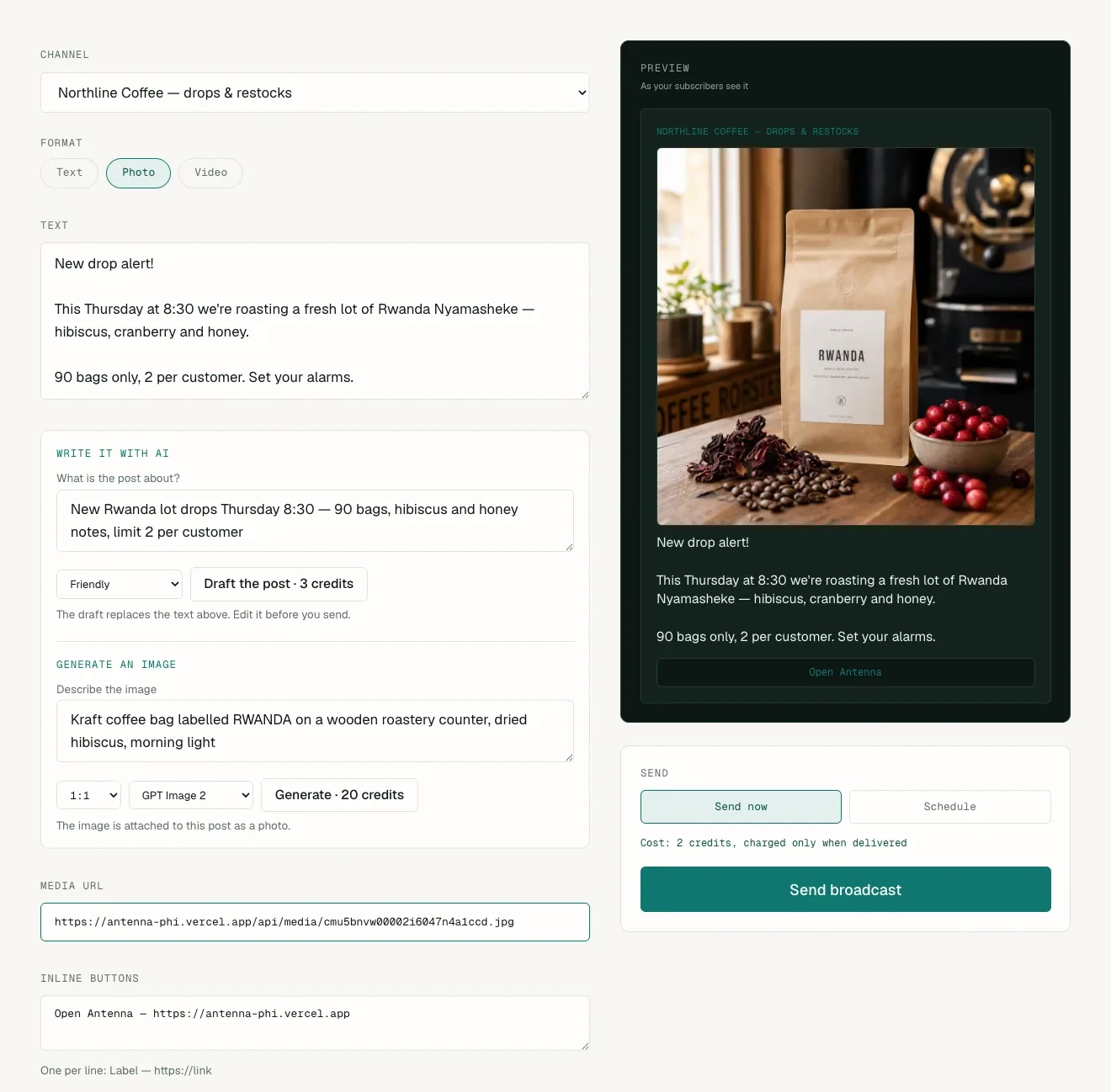
Describe the post — AI writes it and makes the photo
Say what the post is about in a line. AI drafts it in your channel's voice without inventing prices or dates, and generates a matching image with GPT Image 2 or Nano Banana Pro. Edit anything, then send or schedule. The preview shows exactly what subscribers will see.
04 · Languages
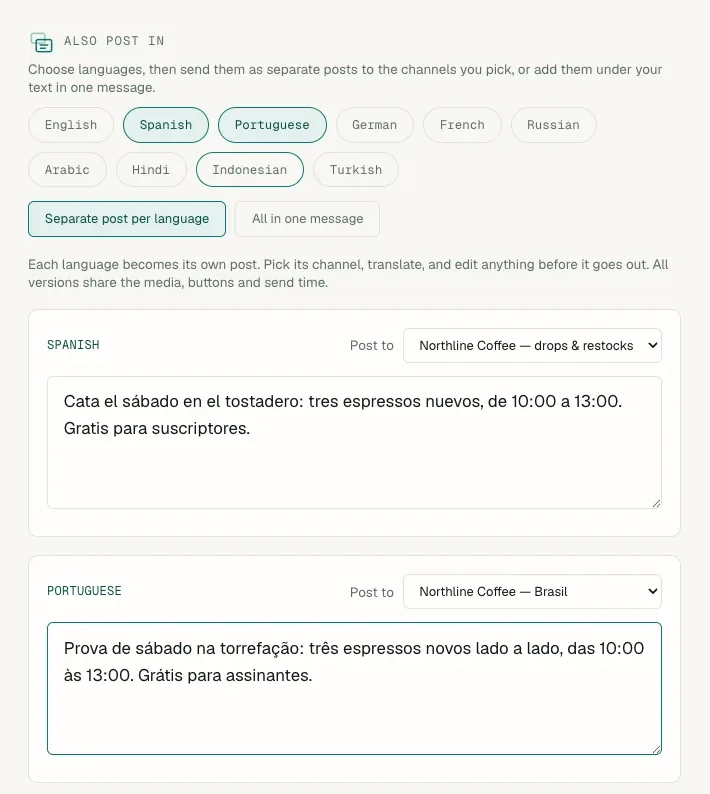
One post, many languages, each to its own channel
Pick the languages you publish in. Every language becomes its own post: translate it in one click, edit the draft, and choose the channel it goes to — Spanish to one, Portuguese to another. All versions go out together, now or at a scheduled time.
05 · Bot templates
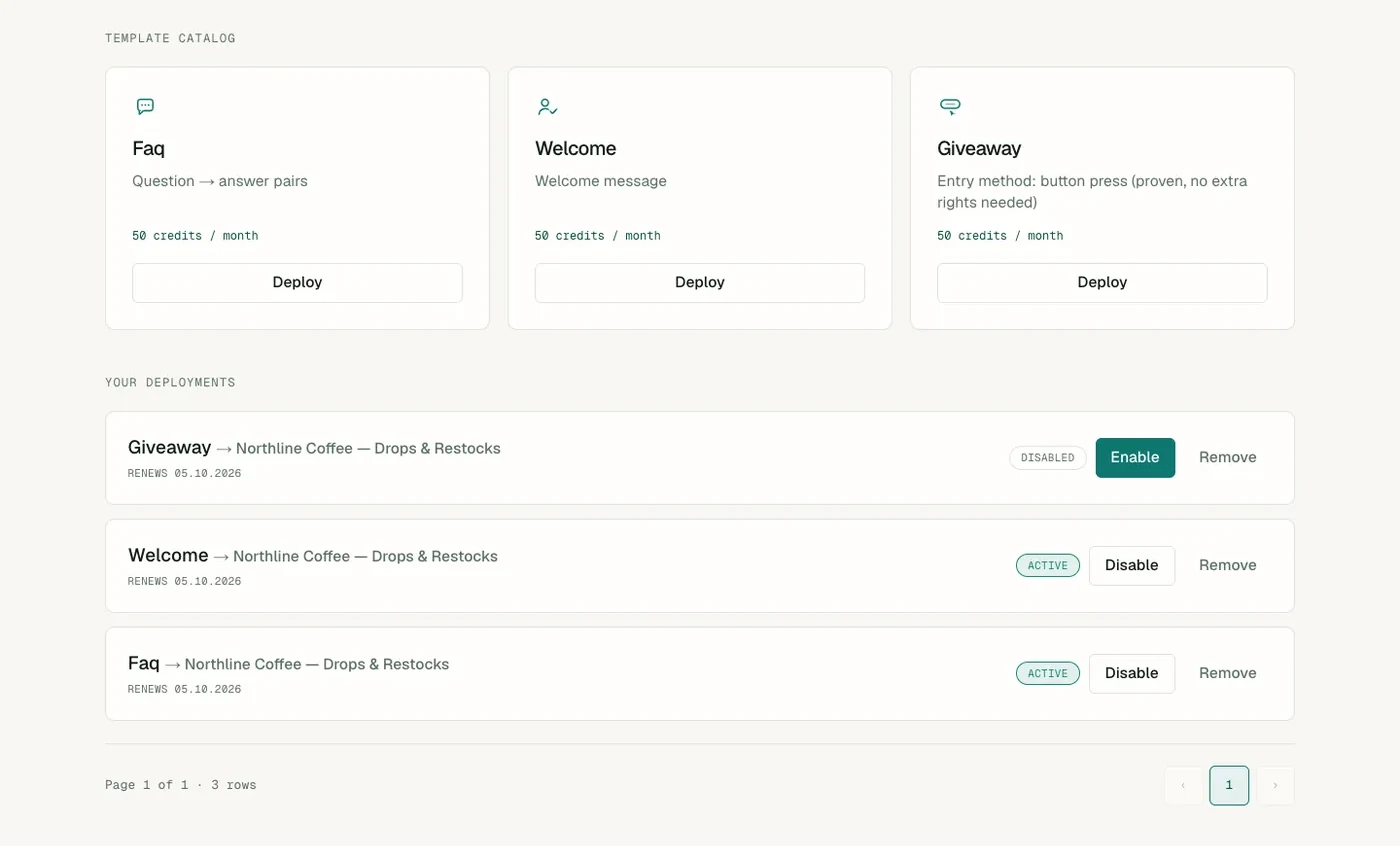
Start from a ready-made bot
Pick a template — an FAQ bot that answers keywords, a welcome message for new members, or a giveaway — fill it in, choose the channel, and it runs. Turn it off at any time.
06 · Custom bots
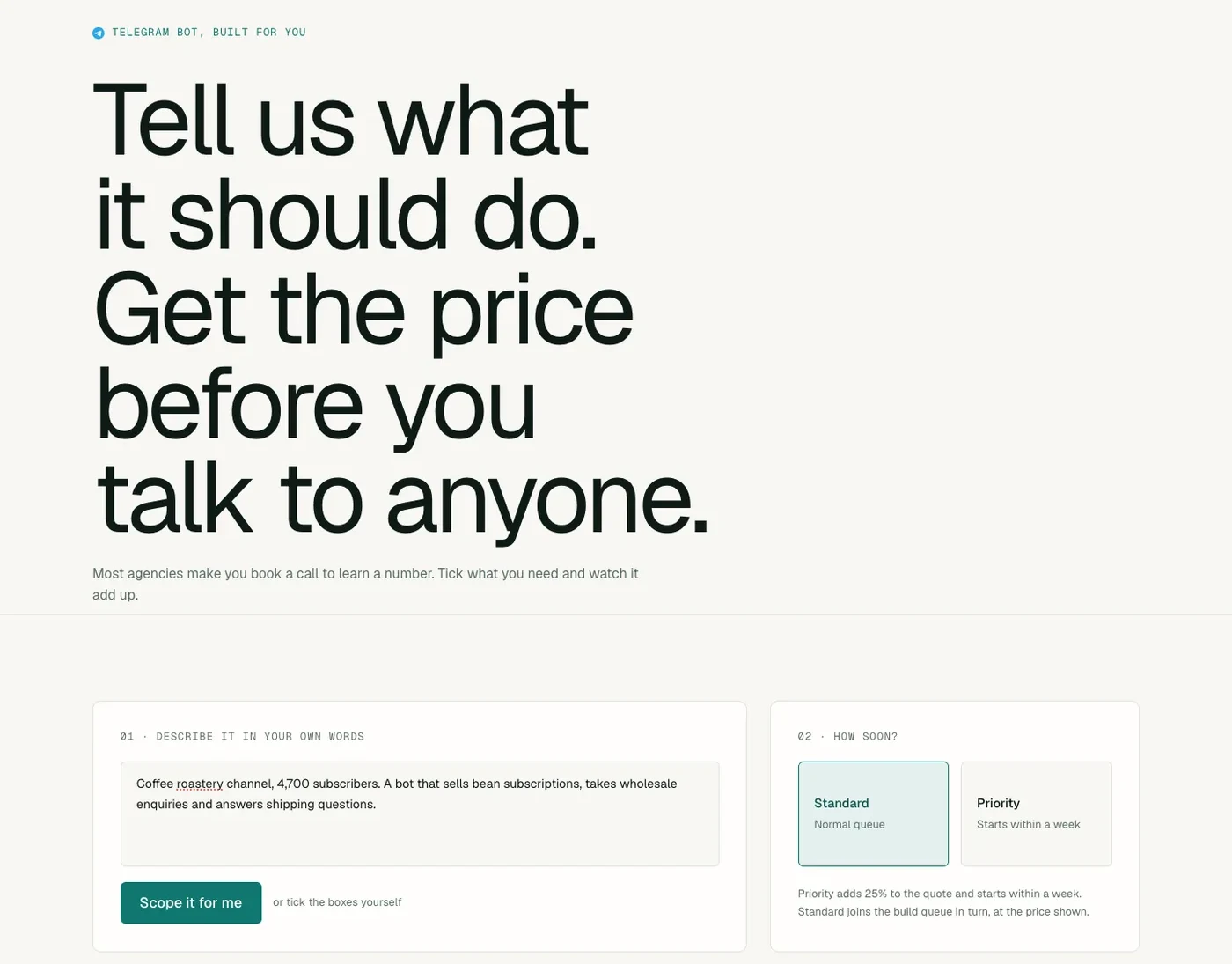
Get a bot built just for you
Describe the bot you want in your own words, or tick what it should do: payments, a subscriber CRM, AI replies, links to your own systems. The price and timeline update as you choose, before you talk to anyone. Our engineers build it and post progress on the order page.
07 · Direct messages
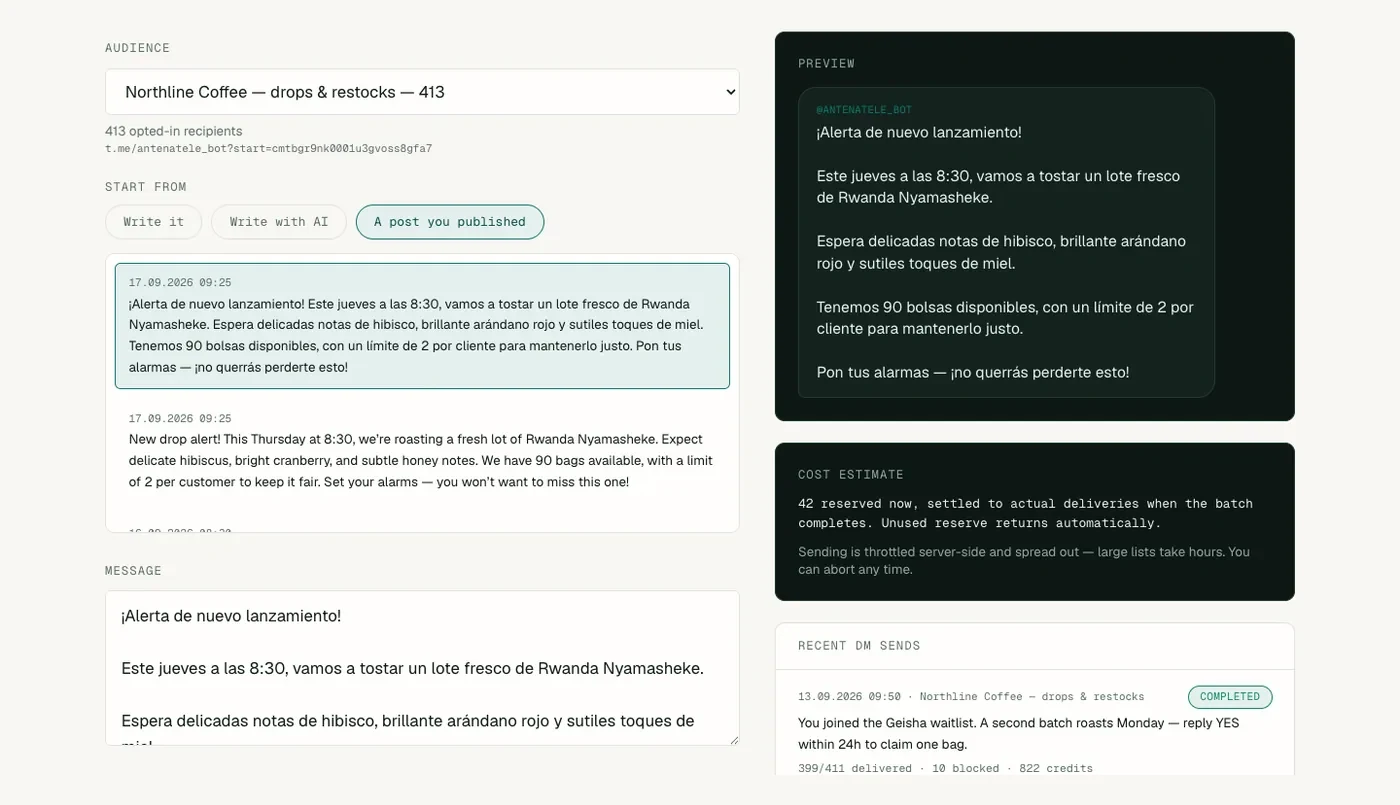
Message your subscribers directly
People who press Start on your bot can be messaged one to one. Start from a post you already published, or let AI write it, check the preview, and see how many received it and how many had blocked the bot.
08 · History
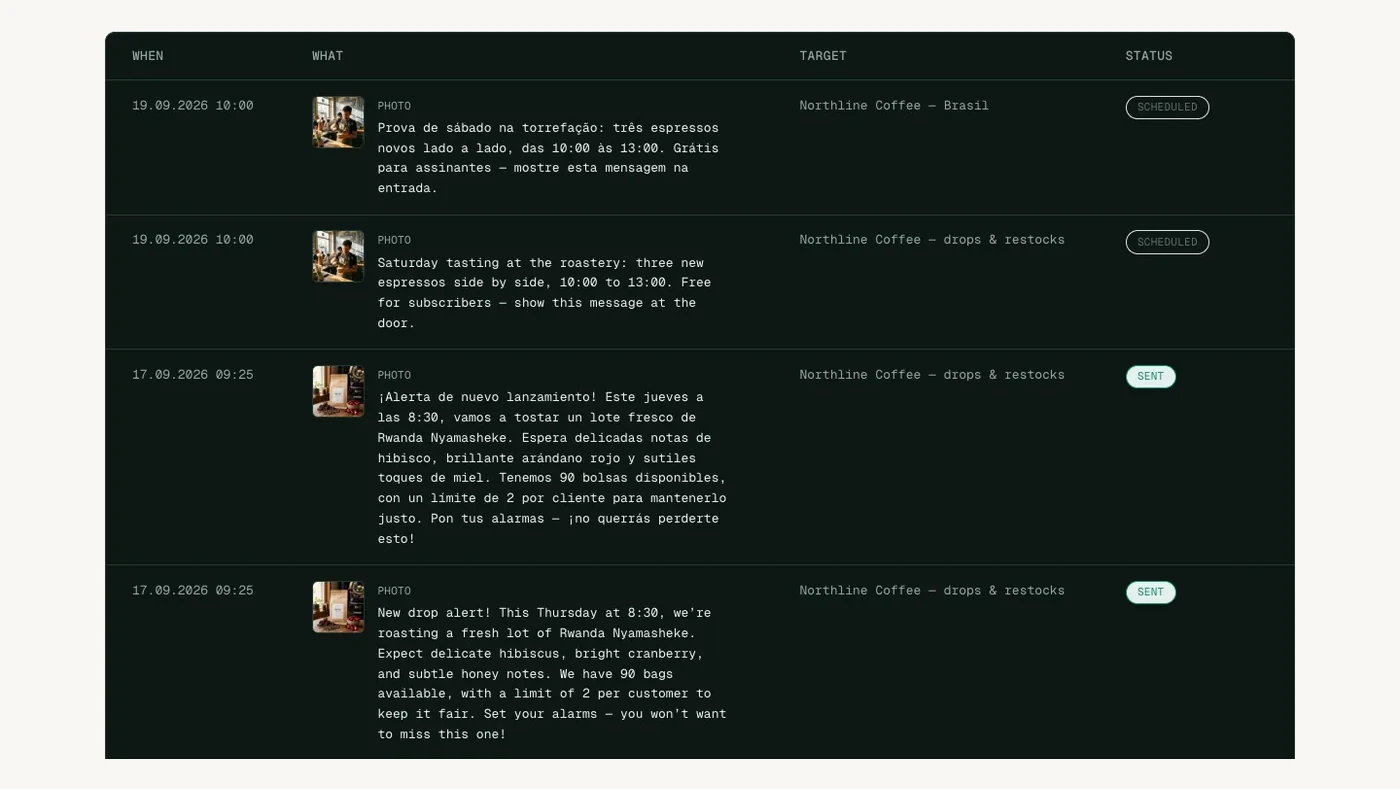
Every post, with its outcome
Each post shows when it went out or is due, where it went, and whether it was delivered. A failure comes with Telegram's reason, and a post that failed to deliver is refunded.
09 · Specialists
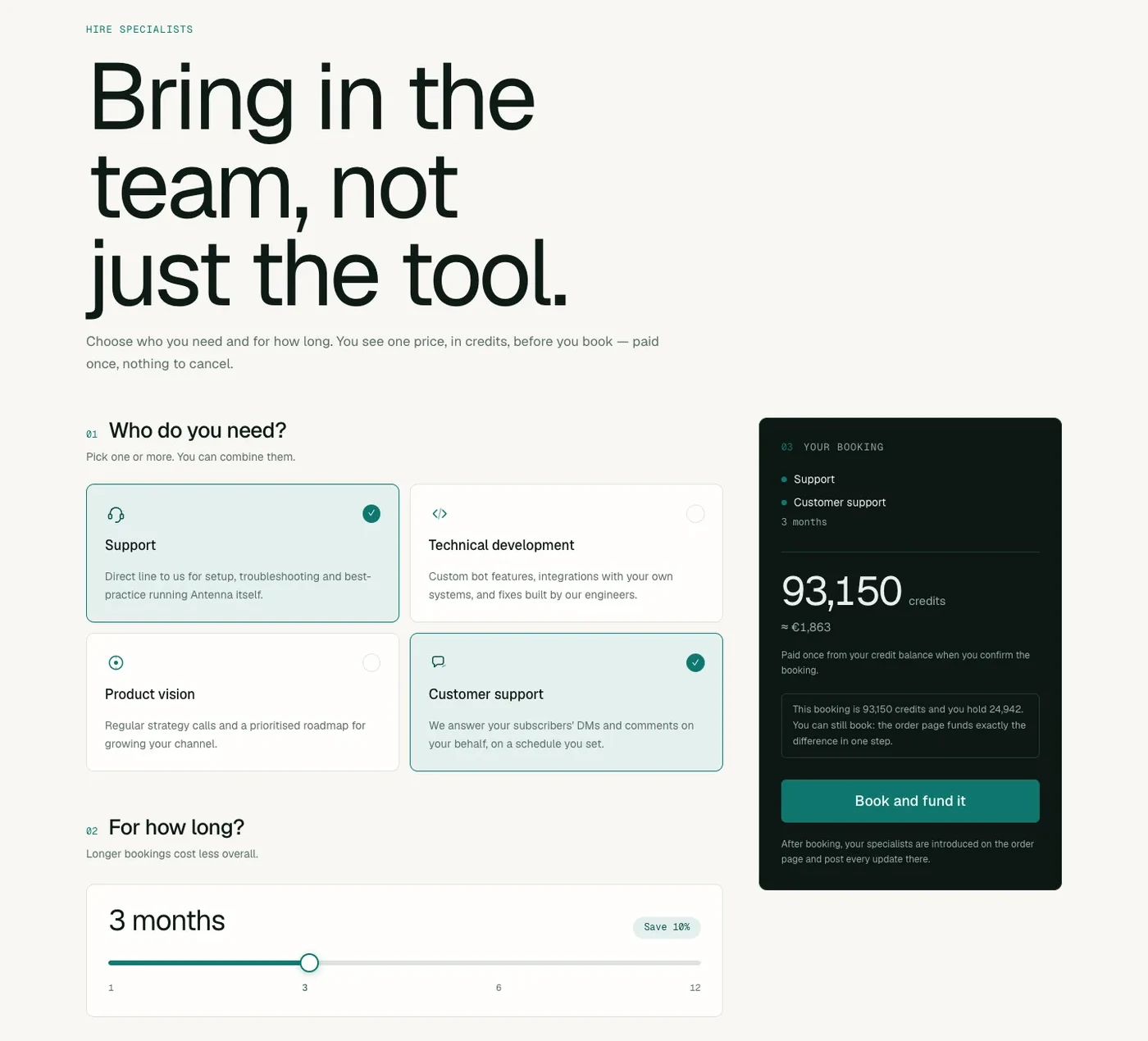
Bring in people when you need them
Book support, development, product direction or someone to answer your subscribers. Choose who you need, slide to how long, and see one price in credits before you book. Your specialists post every update on the order page.